
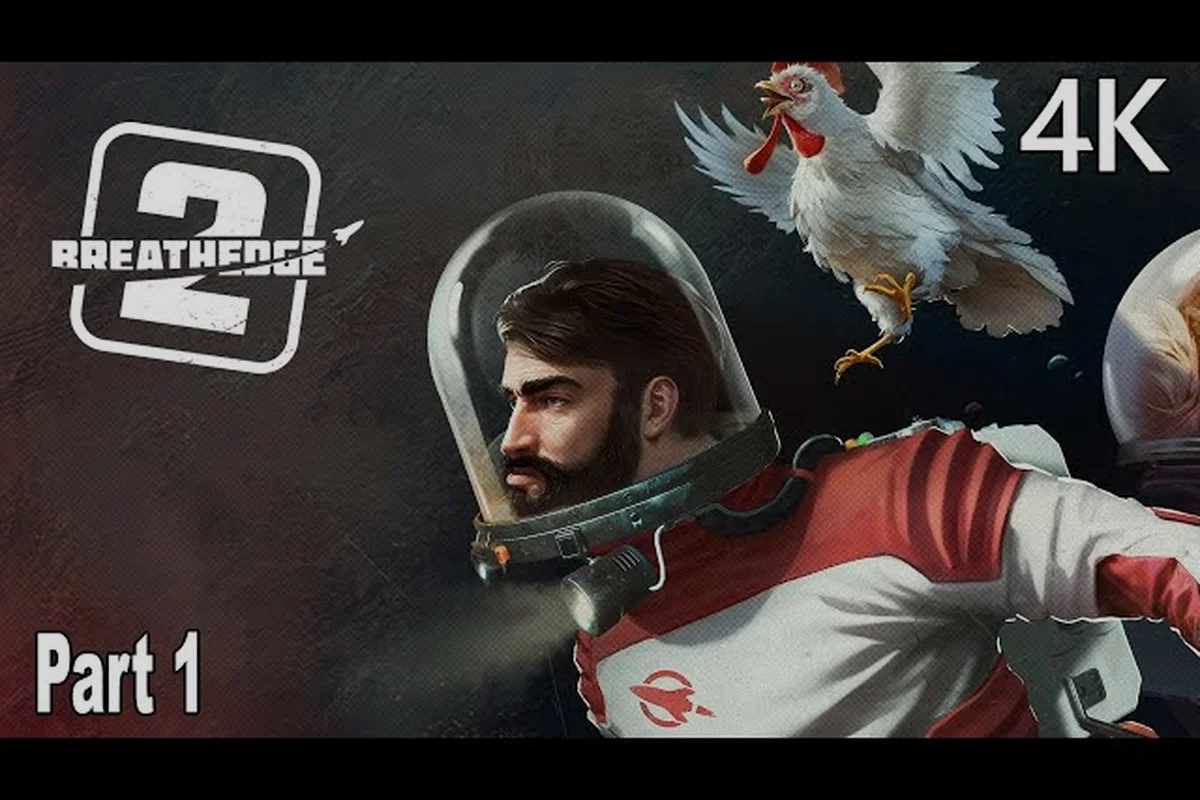
The Breathedge 2 demo walkthrough matters because this free slice is not a passive trailer. It front-loads the exact survival loop you will repeat for thirty hours, so treating the demo as a training run saves you from wasting early access resources later. The build shows how the O2 Station turns a tiny shuttle into a livable base, and how the Afterburner changes movement from drifting to controlled flight.
What the Breathedge 2 demo actually includes
The demo slice is smaller than most players expect, but it is dense with systems. You start inside a damaged shuttle, receive a repair objective from the Immortal Chicken, and immediately enter the scavenging loop. The tutorial teaches you to grab loose cans, metal fragments, and wire, then craft the first O2 Station module. This station is the heart of the demo because it refills your oxygen when you return to base, which turns oxygen from a countdown timer into a manageable resource loop.
The following table breaks down the core systems the demo lets you test, based on the official Steam news post and community feedback. Players who want to maximize their time before the demo ending should treat each row as a checklist rather than a casual overview — for example, the oxygen/crafting loop only becomes clear once you attempt a second run after hitting the demo's fail state, where the autosave resets you to the shuttle and you can compare how many resources you lost versus what you could have salvaged with better storage management.
| Demo system | What you can do | Why it matters |
|---|---|---|
| O2 Station construction | Build and place oxygen refill module | Teaches base-building without full base |
| Scavenging | Collect debris, cans, metal fragments | Fuel for crafting and repairs |
| Afterburner acceleration | Boost in short controlled bursts | Movement mastery for later zones |
| Melee combat | Strike debris or hostile targets | Basic self-defense timing |
| Repair objectives | Fix shuttle components | Objective loop structure |
The demo also includes a Demo Results follow-up from RedRuins, which means the studio used player feedback from this exact slice to tune survival, crafting, and combat before the Early Access launch. That makes the demo a living test environment, not a static preview. Players who complete the demo effectively give themselves a head start on the full release, because the muscle memory for oxygen management and afterburner control carries over directly.
Step-by-step Breathedge 2 demo walkthrough
The demo has a clear sequence, but you can complete it faster if you understand the intended path. Your first objective appears almost immediately after the opening cutscene, and the game expects you to learn by doing rather than reading long tutorial pop-ups. The following walkthrough order minimizes backtracking and keeps your oxygen use efficient.
First repair objective
The demo opens with the shuttle interior damaged and your suit systems online. Look for the blinking repair marker on the cockpit console, then interact with it. The game will ask you to gather three metal fragments, which are floating in the debris field directly outside the shuttle. Do not drift too far while collecting them, because early movement has no Afterburner yet, and returning to the shuttle costs oxygen.
Building your first O2 Station
Once you have the metal fragments, the crafting menu unlocks the O2 Station blueprint. Place the station inside the shuttle near the door, then activate it. The station will generate an oxygen field, and you will see your suit oxygen refill when you stand close. This is the most important demo lesson: the O2 Station is not a luxury item. It is the primary survival anchor, and every later expedition should begin and end at one.
Afterburner test flight
After the station is online, the demo introduces the Afterburner module. This adds a short burst of speed in your current movement direction, and it recharges over time. Use it to cross the larger debris gap to the second objective, which is a damaged satellite array. The boost is not infinite, so practice feathering it instead of holding the button. The full game will punish players who burn all boost at once and drift into empty space.
Demo ending objective
The final objective in the demo asks you to return to the shuttle and initiate a systems check. This triggers a short sequence where the Immortal Chicken comments on your progress, then the demo rolls credits. There is no boss fight or combat climax in the free slice. The ending is deliberately low-key because the studio wants you to sit with the survival loop, not chase a scripted set-piece.
Breathedge 2 demo tips that carry into the full game
The demo teaches you habits that will either help or hurt you in Early Access. Several tips below come from the official Demo Results post, which summarized exactly what RedRuins adjusted after watching players struggle. The biggest lesson is that oxygen is not an optional resource meter; it is the entire pacing mechanic.
Oxygen discipline beats hoarding
Your first instinct will be to grab every can and fragment you see. Resist it. The demo map is small enough that you can always return to the shuttle before your oxygen hits the warning threshold. When the warning appears, turn back immediately, even if you see a shiny resource nearby. Players who ignore the warning and push one more node are the ones who die in the demo, and the full game will be even less forgiving.
The table below shows the oxygen decision framework that works in the demo and scales into the full release. In the demo's zero-gravity tutorial airlock, you can verify the core rule immediately: if your O2 gauge reads above 60 percent, do not crack a fresh oxygen candle, even when the HUD flashes a low-oxygen proximity warning. That warning triggers on proximity to a vacuum breach, not on actual suit oxygen, so new players waste roughly two to three candles per run by reacting to the alarm instead of the gauge. Reserve the emergency oxygen tank from the shuttle debris cache for the final tether-repair corridor, where the demo intentionally drains your suit 25 percent faster than the listed rate.
| Oxygen level | What to do | Risk if ignored |
|---|---|---|
| 75% or higher | Free exploration and scavenging | Low |
| 40% to 74% | Start heading back toward shuttle | Medium, boosts may be needed |
| 20% to 39% | Immediate return, no detours | High, one mistake kills you |
| Below 20% | Emergency boost toward O2 Station | Critical, death likely |
Use the Afterburner like a tool, not a toy
The Afterburner is the most fun system in the demo, which is exactly why players waste it. Community testing shows that new players burn boost on straight lines, then have nothing left when they need to dodge debris or correct course. Save at least half your boost for course corrections. When you are drifting toward a gap, a single short burst is often enough to change your trajectory without burning the whole reserve.
Craft early, craft often
The demo does not include item degradation like the first Breathedge, according to the PC Gamer preview. In the original game, tools broke after a few uses and forced constant recrafting. In Breathedge 2, crafting an item like the O2 Station is a significant event that stays relevant. The demo teaches you to treat crafted items as permanent upgrades, not consumables. That mental shift will matter when you are building larger stations in the full game.
What to do after the Breathedge 2 demo ends
The demo ending is not the end of your time with Breathedge 2. There is a gap between the free slice and the Early Access launch on August 31, 2026, and what you do during that gap determines how smooth your first full session feels. The official Demo Results post confirmed that RedRuins used feedback from this exact slice to tune the survival, crafting, and combat before launch.
Replay the demo with a specific goal
Your first demo run is about survival. Your second run should be about mastery. Try to complete every objective without ever hitting the oxygen warning. Then try a speed run using only minimal scavenging. The demo map is small, so you can test different routing strategies in fifteen minutes per run. This is the cheapest training ground you will ever get for the full game.
Review the systems you did not master
The demo shows several systems briefly but does not require mastery. Melee combat appears in a very short section, and most players never learn its range or timing. Go back and practice hitting debris targets until you understand the swing delay. The full game will introduce more combat, and the demo is your only chance to learn the baseline without consequence.
Prepare for the Early Access version
The Early Access launch will expand the demo slice into a much larger survival sandbox. The demo's O2 Station building is just the first module in a larger base system, and the Afterburner will have upgrades. If you want a broader look at what the full game changes from the original, the Breathedge 2 full walkthrough covers the Early Access scope and structure.
The following table compares what the demo includes versus what the Early Access launch will add, based on the official Early Access release trailer and Steam news. The demo intentionally gates its content behind the prologue structure — you get the full tutorial pipeline (the leaky helmet repair, the chicken-on-a-cross gag, and the blueprint system unlock) but only a sliver of the research tree, whereas the Early Access build adds the vacuum-capable spacesuit, a broader set of oxygen refill stations, and more narrative triggers tied to the immortal chicken's backstory.
| Feature | Demo slice | Early Access launch |
|---|---|---|
| O2 Station | Single basic module | Expanded base building |
| Afterburner | Basic boost only | Upgradeable acceleration |
| Combat | Brief melee tutorial | Full melee and ranged options |
| Story | Short intro sequence | Full narrative progression |
| Map size | Small debris field | Larger explorable zones |
Breathedge 2 demo ending explained
The demo ending is not a cliffhanger, and it does not reveal the full story. It is a clean stopping point designed to leave you wanting the full game without spoiling the narrative. The Immortal Chicken makes a final comment about your survival performance, then the demo cuts to a short credits sequence with a prompt to wishlist the full game.
Why the ending feels abrupt
The abruptness is intentional. RedRuins wanted the demo to be a complete survival loop, not a story excerpt. The ending reinforces that the demo's purpose is to teach you the mechanics. The full game will start with more narrative context and a longer tutorial that expands on the demo's opening. Players who expect a narrative payoff will be disappointed, but players who understand the design will appreciate the clean break.
What the ending tells you about the full game
The demo ending's focus on systems over story tells you exactly what kind of game Breathedge 2 is. This is a survival crafting game first and a narrative experience second. The original Breathedge was praised for its humor, but the sequel is doubling down on the mechanical depth. If you finished the demo and wanted more story, the full release will deliver it. If you finished the demo and wanted more survival systems, the full release will deliver that too.
The demo also sets up the crew system that will matter in the full game. The Immortal Chicken is not just a mascot; it is the first crew member you meet, and the full game will expand on crew behavior and personal goals. If you want to understand that system before launch, the Breathedge 2 crew guide breaks down how the chicken fits into the larger crew mechanics.
How the demo compares to the original Breathedge
Players coming from the first Breathedge will notice several changes in the demo. The most important one is the removal of item degradation. According to the PC Gamer preview, RedRuins specifically removed the mechanic where items broke after a few uses. In the original game, a drill would wear out and force you to craft replacements. In Breathedge 2, a crafted tool is a permanent upgrade that stays relevant.
The table below summarizes the key differences visible in the demo, but a few contrasts only become apparent after you spend time with both builds. The original Breathedge leaned heavily on slapstick survival—oxygen timers, suit durability, and a vacuum that punished careless looting—while the demo shifts toward a more deliberate salvage-and-scan loop, where the Chicken Coop, the Normandy-esque hub ship, replaces the wrecked shuttle as your mobile base. Notably, the demo's oxygen system is far more forgiving during early exploration, letting you linger over debris fields that would have killed you in minutes in the first game; in exchange, resource nodes like aluminum and wiring now gate nearly every upgrade, forcing you to prioritize what to repair before the next story beat.
| System | Original Breathedge | Breathedge 2 demo |
|---|---|---|
| Item durability | Tools degrade and break | No degradation, permanent upgrades |
| Oxygen management | Basic timer | O2 Station refill loop |
| Movement | Standard thrust | Afterburner acceleration |
| Base building | Limited | O2 Station anchor system |
| Humor | Heavy satire | Still present, more focused |
These changes make the sequel more approachable for new players while giving veterans a reason to relearn their habits. The demo's O2 Station loop is a direct response to the original game's oxygen frustration. Players who bounced off the first Breathedge because of oxygen anxiety should try the demo, because the station system changes the entire pacing.
Frequently Asked Questions
How long does the Breathedge 2 demo take to complete?
A first playthrough takes about 45–60 minutes, including prompts and learning the controls. A second run drops under 20 minutes once you know the O2 station locations and route. The demo’s hard stop triggers after you repair the shuttle’s power coupling and see the “demo complete” message.
Is the Breathedge 2 demo still available in 2026?
Yes, the demo stayed live through 2025 and 2026 after its Steam Next Fest debut, so you can still load the Chapter 1 slice, build O2 Stations, and test Vacuum Sneakers traversal. It may be pulled closer to the August 31, 2026 Early Access launch, so claim any limited-time cosmetics and finish the demo ending soon.
Do demo progress and items carry over to the full game?
No, demo progress does not carry over to Early Access. The demo is a separate curated build with its own save file, blueprints, and unlocked suits. When the full game launches August 31, 2026, you start fresh — the O2 Station and scavenging practice is purely for learning and feedback.
What is the hardest part of the Breathedge 2 demo?
Managing oxygen during the satellite array objective, because the round-trip distance from the shuttle is long and early Afterburner charge is limited. Burning boost early to close the gap leaves you with roughly 60–70% oxygen at the array — not enough margin for the return leg.
Should I play the Breathedge 2 demo before Early Access?
Yes. The demo covers the core survival loop—O2 Station construction, scavenging, Afterburner acceleration, and melee combat—without risking your main save. RedRuins used the official Demo Results feedback to tune survival, crafting, and combat before the August 31, 2026 Early Access launch, making it the best free training available.