
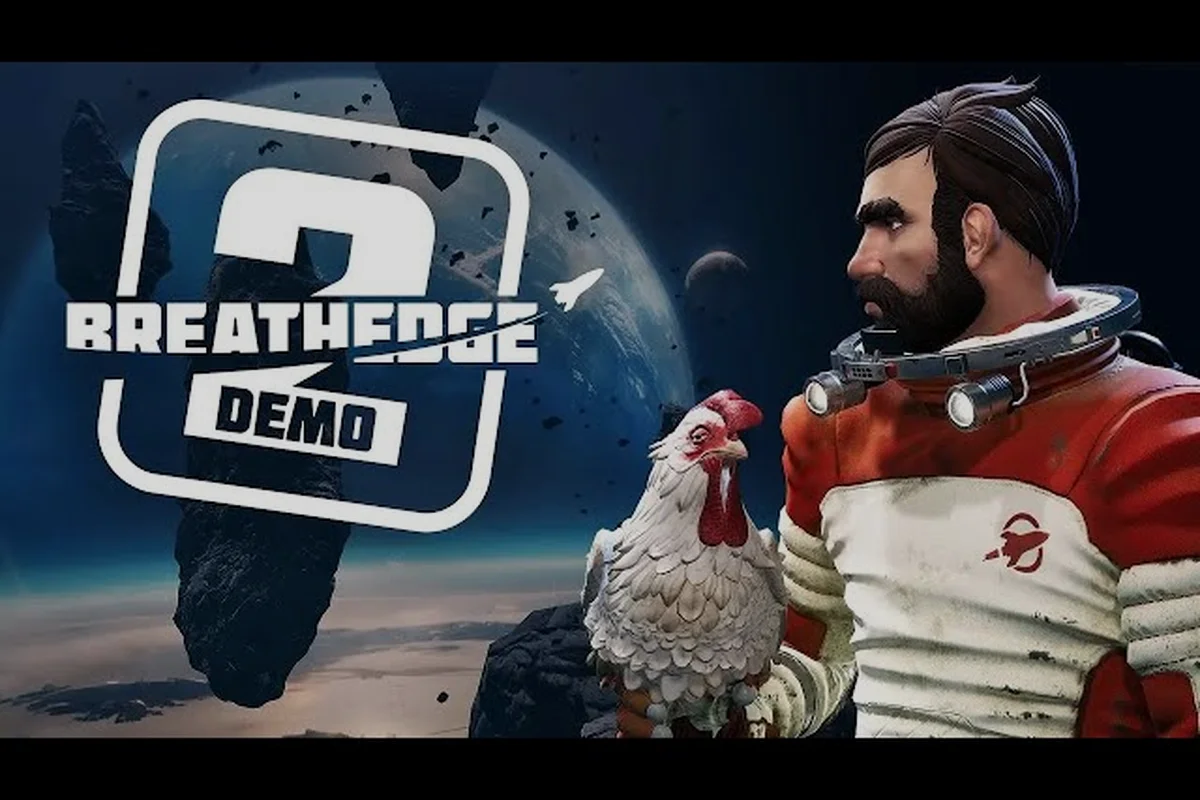
Before you launch into the absurd retro-future space adventure that Breathedge 2 promises, you need a straight answer to one question: can your PC actually run it? The official Breathedge 2 system requirements paint a surprisingly approachable picture for a 2026 Early Access title, but the jump from minimum to recommended specs is steeper than a coffinbot ambush. Getting this wrong means stuttering through oxygen-deprived panic moments or, worse, watching your framerate crater during a ship repair. Here is exactly what you need to know before spending a single credit.
Official Breathedge 2 System Requirements Breakdown
The developer, RedRuins Softworks, published a clean two-tier spec sheet on the official Steam store page, and the numbers tell a specific story. The minimum tier targets a stable 1080p experience at low-to-medium settings, while the recommended tier aims for smooth high-fidelity play at 1440p or high refresh rates. Because the game is entering Early Access, these values represent the developer's current performance targets rather than a final, fully optimized product. Still, they give you a concrete baseline for planning your upgrade path.
The most important detail that surprises many returning players is the RAM requirement. The original Breathedge was famously lightweight, often running on potatoes that had no business playing modern games. Breathedge 2, however, asks for 12 GB RAM at minimum, which immediately disqualifies a large chunk of older 8 GB systems. The recommended tier pushes that to 16 GB RAM, suggesting that the expanded open-space exploration and crew management systems chew through memory faster than the Immortal Chicken chews through, well, anything.
| Spec Component | Minimum Requirements | Recommended Requirements |
|---|---|---|
| Operating System | 64-bit Windows 10 | 64-bit Windows 11 |
| Processor | Intel Core i5-8400 or AMD Ryzen 5 2600 | Intel Core i7-13700 or AMD Ryzen 7 7700X |
| Memory | 12 GB RAM | 16 GB RAM |
| Graphics Card | NVIDIA GeForce GTX 1660 6GB or AMD RX 5500 XT 6GB | NVIDIA GeForce RTX 3070 8GB or AMD RX 6700 XT 8GB |
| DirectX Version | DirectX 11 | DirectX 11 |
| Storage Space | 15 GB available space | 15 GB available space |
The processor gap between tiers is especially telling. The Intel Core i5-8400 is a six-core chip from 2017, which means the minimum spec accommodates relatively old mid-range desktops. However, the recommended Intel Core i7-13700 is a current-generation 16-core powerhouse, indicating that the game's simulation load—likely tied to the new multi-sector space exploration and crew AI—scales aggressively with CPU headroom. Players on older quad-core systems may find themselves CPU-bound even if their GPU technically meets the minimum threshold.
Can I Run Breathedge 2 on My Current Setup?
DirectX 11 Renderer Requirement vs. Breathedge 2's Physics-Heavy Space Areas
Both the minimum (GTX 1660 6GB / RX 5500 XT 6GB) and recommended (RTX 3070 8GB / RX 6700 XT 8GB) tiers specify DirectX Version 11 only — no DX12 path. This matters because Breathedge 2's open multi-star-system exploration with Coffinbot army encounters, spaceship management, and the Immortal Chicken's physics interactions all run through a single-threaded DX11 command buffer. On 6GB cards, enabling high shadow draw distance around dense debris fields or planet-zone loading will spike VRAM past 5.5GB, triggering stutter even at 1080p.
This is the most common question in every community thread leading up to the Early Access launch, and the honest answer requires more nuance than a simple yes or no. The minimum Breathedge 2 requirements are not a promise of a great experience; they are a floor that prevents outright failure. If your machine sits exactly on that line, you should expect 30-45 FPS at 1080p with settings dialed down, especially during combat sequences or dense asteroid fields. According to community data from the demo period, even systems slightly above minimum sometimes hitched during transitions between space sectors.
To figure out where you stand, compare your hardware against the table above and classify yourself into one of three buckets. The first bucket includes systems that meet or exceed every recommended component—you will likely enjoy smooth performance without much tinkering. The second bucket includes systems between minimum and recommended, where the right Breathedge 2 graphics settings can make a massive difference. The third bucket includes systems below minimum, where you should genuinely reconsider purchasing until an upgrade or performance patch arrives.
| Hardware Tier | Expected Performance | Recommended Action |
|---|---|---|
| Below Minimum (e.g., 8 GB RAM, GTX 1050 Ti) | Unstable, frequent crashes, sub-30 FPS | Wait for optimization patches or upgrade |
| At Minimum (e.g., i5-8400, GTX 1660, 12 GB RAM) | 30-45 FPS at 1080p low-medium | Playable, but tune settings aggressively |
| Between Tiers (e.g., i5-10400, RTX 2060, 16 GB RAM) | 45-60 FPS at 1080p medium-high | Comfortable experience with minor tweaks |
| At Recommended (e.g., i7-13700, RTX 3070, 16 GB RAM) | 60+ FPS at 1440p high | Smooth out of the box |
One critical factor that the spec sheet does not explicitly state is storage speed. While the game only asks for 15 GB available space, players on mechanical hard drives may encounter longer load times and texture pop-in during high-speed traversal. If you have an NVMe SSD, even a budget one, the transition stutter that some demo players reported largely disappears. This is not an official recommendation, but community testing strongly suggests that an SSD upgrade yields more practical benefit than a marginal GPU overclock.
Breathedge 2 Low FPS Fix: Practical Performance Tuning
If you are already inside the game and watching your framerate struggle, do not immediately assume your hardware is the problem. Early Access builds are notorious for unoptimized settings, and Breathedge 2 is no exception. Several graphics options have outsized performance impacts relative to their visual benefit, and knowing which ones to cut first can double your FPS without making the game look like a wireframe disaster. The fixes below are ordered from highest impact to lowest.
The single most effective Breathedge 2 low fps fix reported by players involves shadow quality. The game renders dynamic shadows across vast open-space environments, and dropping shadows from Ultra to Medium often recovers 15-20 FPS on mid-range cards with almost no perceptible visual downgrade. The second biggest culprit is volumetric lighting, which creates the gorgeous nebula atmospherics but absolutely hammers mid-tier GPUs. Turning Volumetric Fog and Volumetric Lighting down to Low can stabilize otherwise erratic frametimes.
Graphics Settings Priority List
-
Shadow Quality — reduce first; biggest FPS gain with minimal visual loss
-
Volumetric Fog / Lighting — reduce second; affects nebula and atmosphere effects
-
Anti-Aliasing — switch from TAA to FXAA if GPU-bound; TAA is expensive at higher resolutions
-
Draw Distance — reduce to Medium; fewer distant asteroid and debris objects rendered
-
Texture Quality — keep at High if you have 6+ GB VRAM; otherwise drop to Medium
-
Motion Blur — turn off entirely; saves a few frames and improves clarity during combat
-
V-Sync — disable if using G-Sync or FreeSync; otherwise keep on to prevent screen tearing
The distinction between being GPU-bound and CPU-bound matters enormously for tuning strategy. If your GPU usage sits at 99% while your CPU chills at 40%, you are GPU-bound and should prioritize resolution, textures, and shadows. If your CPU pegs at 100% while the GPU idles at 60%, you are CPU-bound and should reduce draw distance, physics-heavy settings, and background simulation load. The game's crew management and multi-sector simulation lean CPU-heavy, which is why the recommended processor tier jumps so dramatically. For more granular tuning advice, the Breathedge 2 best settings guide walks through every graphics option with measured impact data.
Breathedge 2 Stuttering Fix and Lag Fix for Early Access
Stuttering is different from low average FPS, and it requires a different fix. While low FPS means your hardware is consistently underpowered, stuttering usually means something is spiking intermittently—shader compilation, asset streaming, or background processes. The first Early Access builds of Breathedge 2 exhibit a known shader compilation stutter when entering new space sectors for the first time. This is temporary and usually resolves after a few seconds, but it can feel alarming during combat or navigation.
The most reliable Breathedge 2 stuttering fix for persistent micro-freezes is to force the game to run in Borderless Windowed mode rather than Exclusive Fullscreen. Several players reported that Exclusive Fullscreen caused frame pacing issues on Windows 11, particularly on multi-monitor setups. Switching to Borderless Windowed eliminated the stutter for many users without any FPS cost. Another common culprit is the Steam overlay; disabling it for Breathedge 2 specifically has resolved hitches on some Nvidia setups where the overlay hooks interfered with frame delivery.
Lag and Stutter Troubleshooting Checklist
-
Update GPU drivers — clean install with DDU; Early Access titles are sensitive to driver mismatches
-
Disable Steam overlay — overlay hooks can cause frame pacing issues on certain configurations
-
Switch to Borderless Windowed — resolves multi-monitor and frame pacing stutter on Windows 11
-
Close background apps — browsers, Discord hardware acceleration, and RGB software eat CPU cycles
-
Set high performance power plan — prevents CPU downclocking during variable loads
-
Verify game files — corrupted Early Access files cause loading hitches
-
Clear shader cache — after driver updates, stale cached shaders cause compile stutter
Lag, in the traditional network sense, does not apply to Breathedge 2 because the game is strictly single-player. However, players often use "lag" to describe input latency or delayed response, which usually traces back to V-Sync buffering. If your mouse feels floaty or your clicks register late, disable V-Sync in-game and enable it through your GPU control panel instead. This bypasses the game's own buffering implementation, which has known input delay issues in the current build. For launch-specific problems like crashes or failure to boot, the Breathedge 2 launch fix guide covers startup errors and compatibility workarounds in depth.
How Breathedge 2 System Requirements Compare to the Original
Veterans of the first Breathedge will notice a significant leap in hardware demands, and understanding that jump helps contextualize whether your existing rig survives the sequel. The original game launched in 2019 with a minimum spec of just 4 GB RAM and a GTX 660, which meant nearly any gaming PC from the last decade could run it. The sequel triples the RAM requirement and demands a GPU three generations newer at minimum. This is not developer laziness; it reflects the expanded scope of the game's simulation and rendering pipeline.
The table below compares the two games directly, because many returning players assume their old Breathedge machine will handle the sequel. It will not, at least not comfortably. The most punishing jump is in CPU requirements, where the recommended tier moves from a four-core i5-6600K to a sixteen-core i7-13700. That is a generational leap driven by the new crew management systems, multi-sector simulation, and the larger, more detailed space environments that the original never attempted.
| Spec Component | Breathedge (2019) Minimum | Breathedge 2 (2026) Minimum | Multiplier |
|---|---|---|---|
| RAM | 4 GB | 12 GB | 3x |
| GPU | GTX 660 | GTX 1660 | ~3x performance |
| Storage | 7 GB | 15 GB | ~2x |
| DirectX | DirectX 11 | DirectX 11 | Same |
| OS | Windows 7/8/10 | Windows 10/11 | Newer requirement |
The storage jump is relatively modest, which is good news for players with smaller SSDs. The original Breathedge was a compact experience, and while the sequel expands the playable space significantly, the developer has clearly kept asset sizes under control. A 15 GB install is remarkably small for a 2026 open-space adventure, and it suggests the team prioritized procedural generation and efficient asset reuse over massive texture packs. This also means the game loads faster than most modern titles, provided you install it on an SSD.
Preparing Your System Before Early Access Launch
The smartest move you can make before August 31 is to benchmark your current system against the minimum Breathedge 2 requirements and address the weakest link. Because the game enters Early Access, performance will evolve over the planned 16-20 month development window, but you should not buy expecting dramatic optimization miracles. The developer has been transparent about the spec targets, and community reports from the demo period confirm that the current build performs roughly in line with the published numbers.
Your upgrade priority depends entirely on which component falls short. If you are sitting on 8 GB RAM, that is the cheapest and most impactful upgrade—a 16 GB kit costs less than a mid-range GPU and resolves the most common performance bottleneck. If your GPU is a GTX 1060 or RX 580, you sit just below the minimum 1660 threshold and should expect to run the game, but poorly. A used RTX 2060 Super or RX 5700 XT lands you comfortably in the playable middle tier without breaking the bank.
Pre-Launch Preparation Checklist
-
Check your RAM — upgrade to 16 GB if below 12 GB; this is the cheapest meaningful upgrade
-
Free up SSD space — ensure at least 30 GB free for the game plus shader cache and future patches
-
Update Windows — the recommended tier specifies Windows 11; minimum supports Windows 10 but 11 handles newer schedulers better
-
Clean install GPU drivers — do this the day before launch to avoid shader cache conflicts
-
Disable background overlays — Steam overlay, Discord overlay, and NVIDIA overlay can all interfere with Early Access builds
-
Set expectations — Early Access means performance will fluctuate; do not judge final optimization from launch day
The Windows 11 recommendation deserves extra attention. The minimum tier lists Windows 10 as acceptable, but the recommended tier jumps to Windows 11 specifically. This is not arbitrary: Windows 11 includes improved thread scheduling for hybrid architectures like the i7-13700's P-core/E-core split, which directly benefits the CPU-heavy simulation load in Breathedge 2. If you are on Windows 10 with a newer Intel CPU, upgrading your OS may deliver a measurable performance improvement without any hardware change. Players curious about how the game's survival mechanics interact with performance should check the Breathedge 2 survival gameplay overview to understand which systems stress the CPU most.
Frequently Asked Questions
What are the exact minimum requirements for Breathedge 2?
The official minimum spec requires a 64-bit Windows 10 system with an Intel Core i5-8400 or AMD Ryzen 5 2600 processor, 12 GB of RAM, and a GeForce GTX 1660 6GB or Radeon RX 5500 XT 6GB graphics card. You also need DirectX 11 and 15 GB of free storage space.
Can I run Breathedge 2 with 8 GB of RAM?
Probably not comfortably. The minimum spec lists 12 GB RAM, and community testing during the demo period showed that 8 GB systems experienced frequent stuttering and asset streaming hitches. Upgrading to 16 GB is the single most cost-effective improvement you can make if your system falls below the minimum threshold.
Will Breathedge 2 run on a GTX 1060?
A GTX 1060 falls below the stated GTX 1660 minimum, so the game may launch but will likely struggle to maintain 30 FPS at 1080p low settings. Some players report playable performance in less demanding areas, but combat and dense asteroid fields will likely cause significant slowdowns. Consider upgrading to at least a GTX 1660 or RX 5500 XT.
Why does Breathedge 2 stutter when I enter new areas?
This is typically shader compilation stutter, a known issue in the Early Access build that occurs when the game encounters new graphical effects for the first time. The stutter usually resolves after a few seconds and should not persist. Switching to Borderless Windowed mode and clearing your shader cache after driver updates can reduce the frequency.
Does Breathedge 2 require an SSD?
The official requirements only list 15 GB of storage without specifying an SSD, but community testing strongly suggests that installing on an NVMe or SATA SSD significantly reduces load times and texture pop-in. Mechanical hard drives may cause longer transition stalls between space sectors, though the game remains technically playable on HDD.